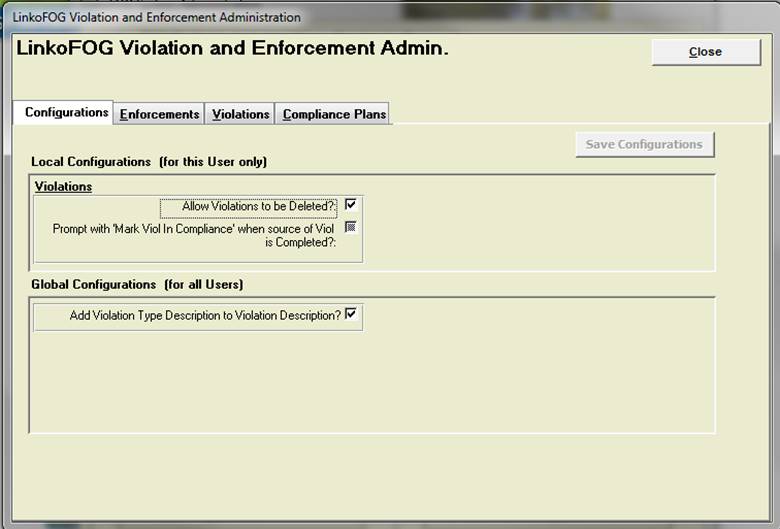
|
Buttons |
Action performed |
|
Close |
Closes
form without saving any changes. |
|
Save Configurations |
Applies
the changes that were made. |
|
Add New |
Under
each Tab you add a member to that Table Listing by using Add New. |
|
Details |
Under
each Tab you edit / modify member of that Table Listing by using Details. |
|
Tabs |
Description |
|
Enforcements |
Create
Enforcement Types. |
|
Violations |
Create
Violation Types to be used on the Violations screens. |
|
Compliance Plans |
Use this to Create Full or Partial Compliance
Plans for completing Enforcements
by Selecting the Select Plan button to choose one or
more Compliance Plans. Or Make Partial Plans that you can piece together in
different combinations. |
|
Configurations |
|
|
Local
Configurations |
For This User
Only |
|
Violations |
|
|
Allow
Violations to be Deleted? |
When
checked, user can delete violations from the Violations screen. |
|
Global
Configurations |
For All Users |
|
Add Violation Type Description
to Violation Description? |
When checked, the
Description of the Violation type as listed under the Violations tab will be
added automatically to the Description field in a newly created Violation
record. The user can choose to leave the Violation Type Description out of
the Violation Record Description by Unchecking this box. |