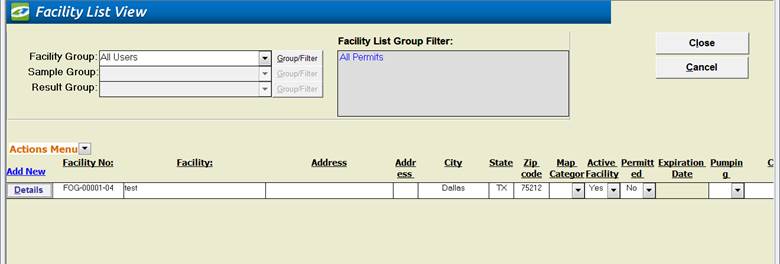
Facility List View provides sorting, grouping, and reporting on the Facilities you select with the fields you configure. As of Version 10.1 of the Linko software, this list view is User Modifiable in the “white” fields. The “grey” fields remain locked and cannot be updated by the Users. The information changed here will be shown in the Facility Management screens.
|
Item |
Description |
|
Facility
Group |
Combo box offering a list of Groups to quickly
filter on. This changes the industry
information displayed below. |
|
Group/Filter |
This opens the Group or Filter form that is used on
all of the filtering screens. For more
information regarding this Screen go to Filter Form. |
|
Close |
Closes the screen, returns to the Main Menu. |
|
Cancel |
Exits any data entry you may have started without
saving. |
|
Add New |
Opens Facility Management window allowing you to create a new
Industry/Permit. |
|
Action Menu –Config Layout |
Set up the List View with any of the Industry related
fields you choose to shown via the Configure layout. |
|
Action Menu – Excel Preview |
Excel preview will take your current list view and
create a spreadsheet view you can export to Excel. |
|
Record Selectors |
Standard Record Selectors allowing you to move between Parameters. |
|
Status Bar |
Reduced Status Bar allowing you to view a Calendar, a Calculator,
Contact Information, or create a new Phone Log Event |
|
Quick Filter Functionality |
Access the Quick Filter function by a Right Click on a field of interest
and sort for and select just the records you want to display. |