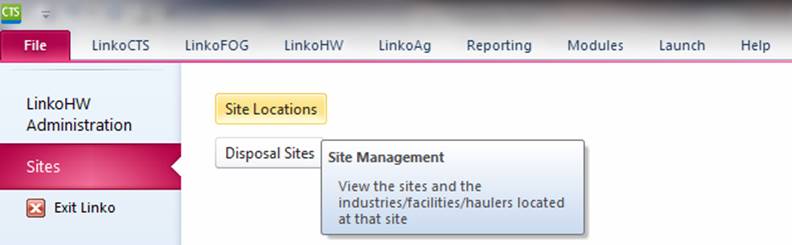
Create one site to be used with several Industries / Facilities / Permits. Access Sites from the File menu:
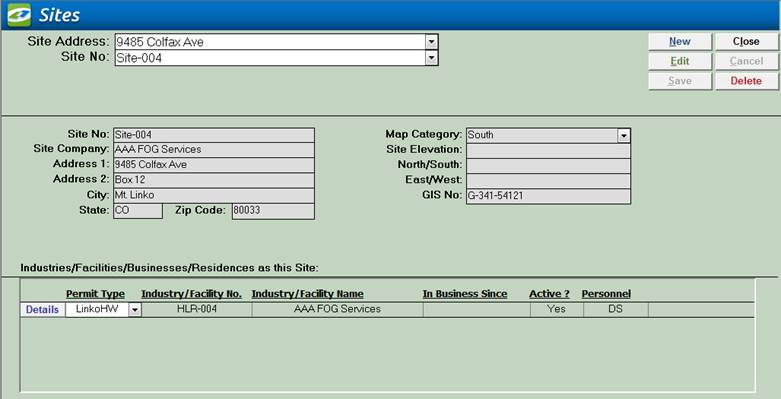
|
Item |
Description |
|
Site Address |
Combo box allowing user to select a Site for display. Sorted by street address |
|
Site No |
Combo box allowing user to select a Site for display. Sorted by Site No |
|
New |
Clears values and allows you to create a new Site. While editing, the New, Edit, Close, and Record Selector buttons will be disabled |
|
Edit |
Allows you to edit the displayed Site. While editing, the New, Edit, Close, and Record Selector buttons will be disabled |
|
Save |
Saves the changes made to the Site |
|
Close |
Closes the screen |
|
Cancel |
Cancels any changes made to the Site |
|
Delete |
Deletes the Site. Users may be required to remove all of the samples, results, industries, and limits before they can delete a site. Once deleted this information cannot be recovered. |
|
Site No |
User defined, unique identification for this Site information |
|
Site Company |
The Industry / Hauler / Permit that is currently being displayed. |
|
Address 1 |
First address line of this Site |
|
Address 2 |
Second address line of this Site |
|
City |
City for this Site |
|
State |
State for this Site |
|
Zip Code |
Zip Code for this Site |
|
Map Category |
Map Category for this Site. Create Groups for each section of your town or city. |
|
Site Elevation |
Elevation of this Site |
|
North/South |
East/West (Y) grid coordinates |
|
East/West |
North/South (X) grid coordinates |
|
GIS No |
GIS number for use with GIS system |
|
Industries / Haulers at
This Site |
Lists all the Industries, Facilities, Permit, Waste Haulers, and even Residences that are located at this site, regardless of which Linko application they appear in. Details shows the Industry / Facility / Permit / Waste Hauler details. You can create One Site with Many Industries / Facilities / Permits / Waste Haulers. This allows you to use the Site Information with a Hauler in the Waste Hauler Module, an Industry in the CTS module, and a Facility in FOG. |
|
Permit Type |
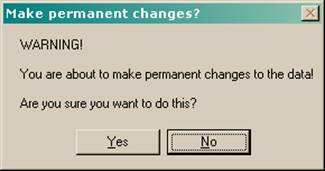
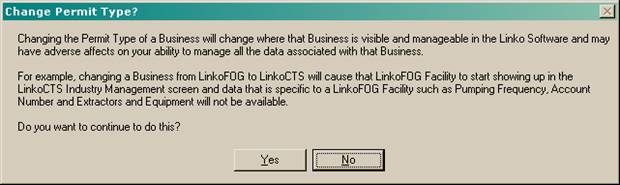
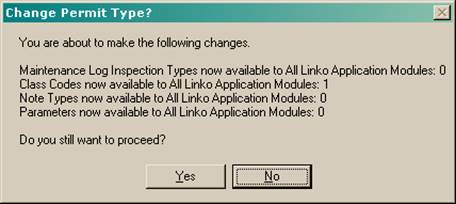
This pull-down Identifies which Linko Module the Industry / Hauler listed to the right is associated with. It also provides the ability to move a Permit / Industry / Hauler from one module to another. If you create an Industry in CTS and then later decide it should be in FOG, you can move it. Simply select the module you wish to move the Permit to and walk through the warnings. Moving a Permit between Linko Modules is a VERY dramatic change within the Linko Database. See the typical warnings you will get below. |
|
Industry / Hauler Number |
The current unique number assigned to this Industry / Hauler. |
|
Industry / Hauler Name |
Name of the business. |
|
In Business Since |
When did they start their business? |
|
Active |
Are they a currently active Permit? |
|
Personnel |
POTW personnel assigned to this Industry. |
Site
Management Warnings